
Automatic bans: unban a player
The anti-bot engine automatically bans suspicious addresses for 10 minutes: bots, browsers hitting the game port, too many HTTP requests… These bans expire on their own.
Go to Anti-DDoS → Management → Automatic bans:
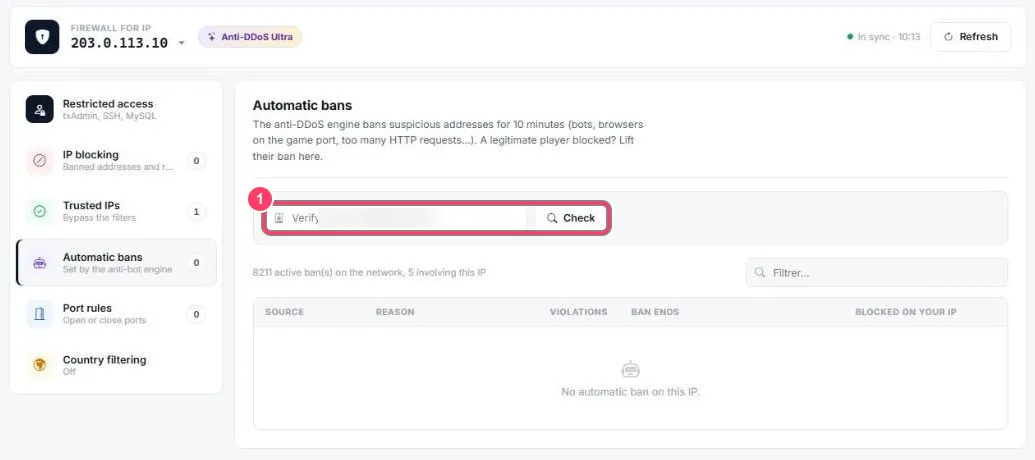
- Check an IP: paste a player’s address and click Check to see whether it is banned
Below the field, the portal shows the number of active bans across the FIVEMSHIELD network and those involving your IP. The table lists addresses banned on your IP: source, reason, number of violations, ban end. Filter… searches it.
A player can’t connect anymore
Section titled “A player can’t connect anymore”- Ask for their IP address (for example from a site like whatismyip.com)
- Paste it in the field and click Check
- If it is banned, lift the ban from the table. If not, the issue is elsewhere: see troubleshooting