
Manage your files
The Files page is your server’s file manager. Your files live in /home/container.
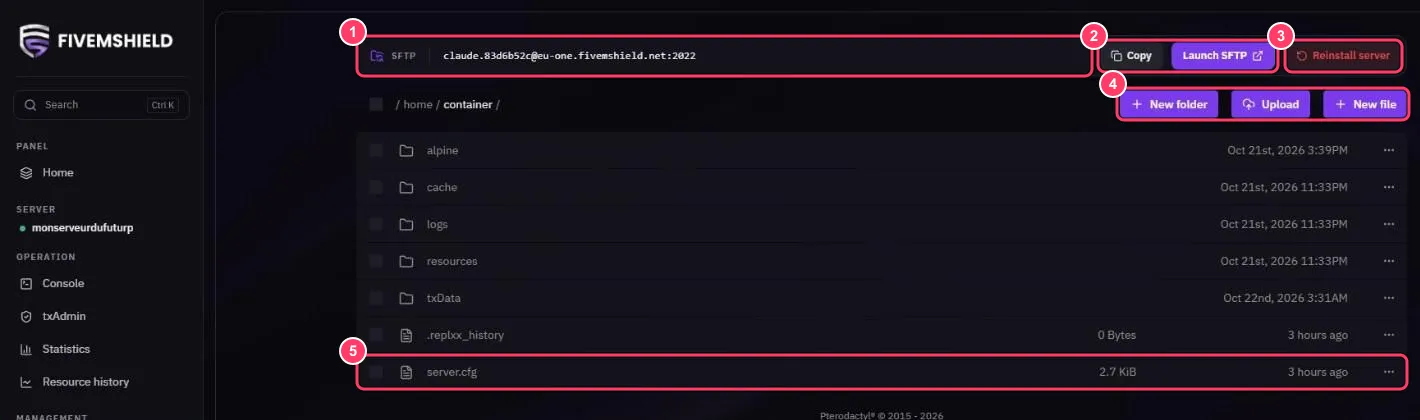
- Your server’s SFTP address, to connect with FileZilla or WinSCP
- Copy copies the SFTP address, Launch SFTP opens it in your SFTP client. See Connect via SFTP
- Reinstall server reinstalls the server (see below)
- New folder, Upload and New file to create a folder, upload files or create a file
- Click a file to open it in the editor
Important folders
Section titled “Important folders”| Folder / file | Contents |
|---|---|
resources/ |
Your FiveM resources and scripts |
server.cfg |
Your main server configuration |
txData/ |
txAdmin data |
logs/ |
Server logs |
alpine/ |
FXServer files: do not modify |
Edit a file
Section titled “Edit a file”Click the file (for example server.cfg), make your changes, then click SAVE CONTENT.
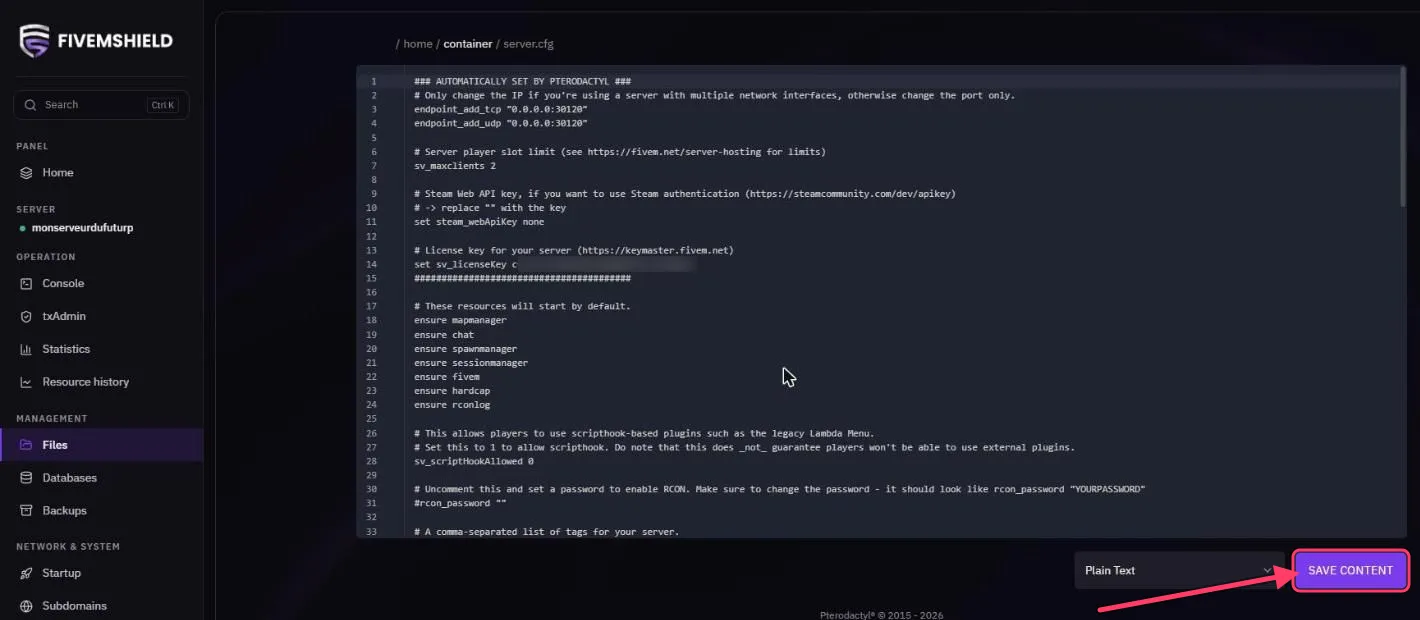
Don’t forget to restart the server to apply your changes.
File actions
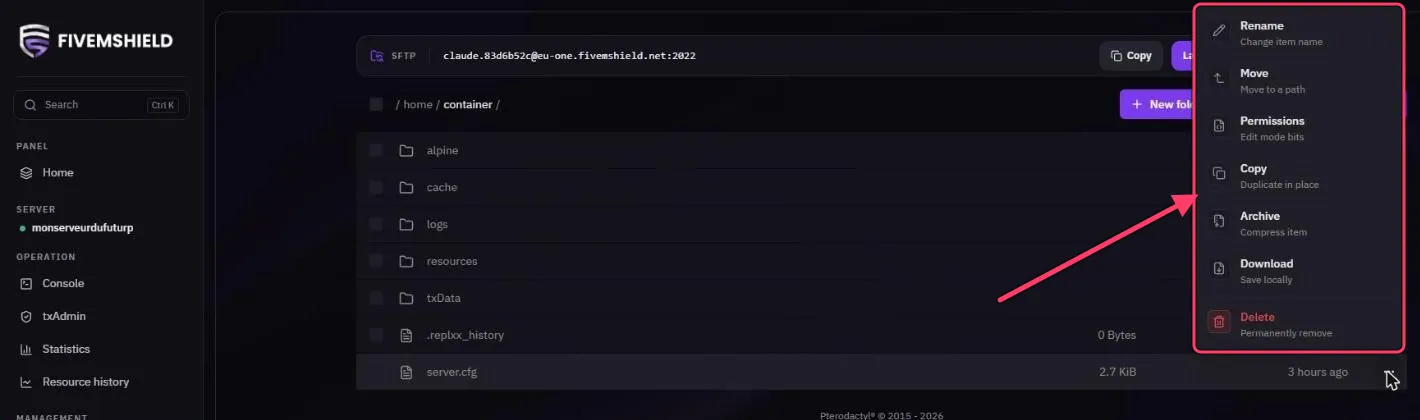
Section titled “File actions”Click the … on the right of a file or folder to Rename, Move, change Permissions, Copy (duplicate), Archive (compress to .tar.gz), Download or Delete it.
Reinstall the server
Section titled “Reinstall the server”Reinstall server runs the FiveM installation again. It can overwrite your files: create a backup first. Only use it if the server is broken or if support asks you to.