
Add a trusted IP
A trusted IP bypasses every Anti-DDoS filter. It’s useful for your own machines that talk a lot with your server: another server in your network, a monitoring tool, a bot, a partner…
Go to Anti-DDoS → Management → Trusted IPs:
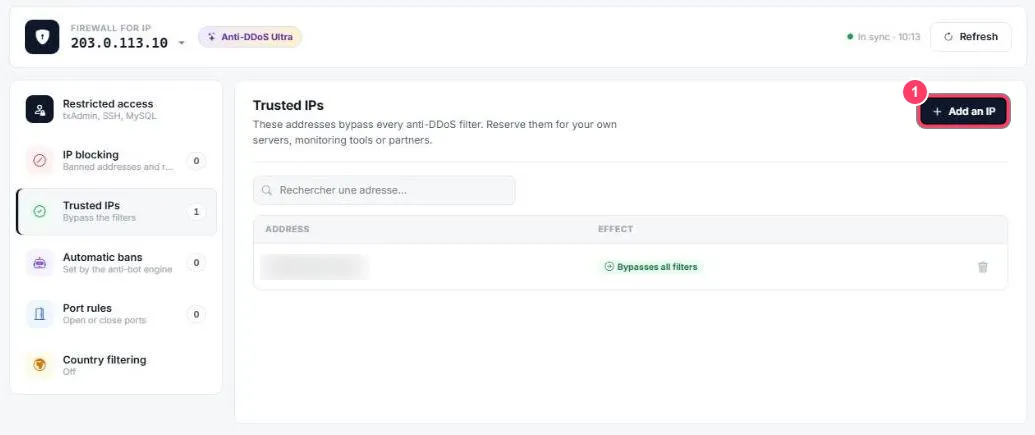
- Click Add an IP. The table lists your trusted IPs with the Bypasses all filters effect. The 🗑️ icon removes one
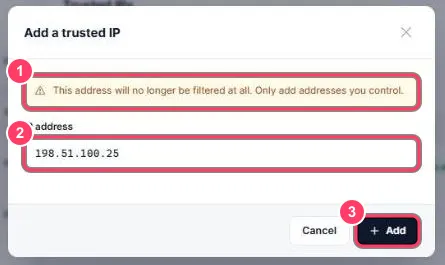
- The warning recalls that the address will no longer be filtered at all
- IP address: the address to allow
- Add: the IP is added immediately