
How to find your VPS Login (SSH/SFTP)
Before you begin configuring your server, you must have a fully operational FIVEMSHIELD VPS.
Option #1
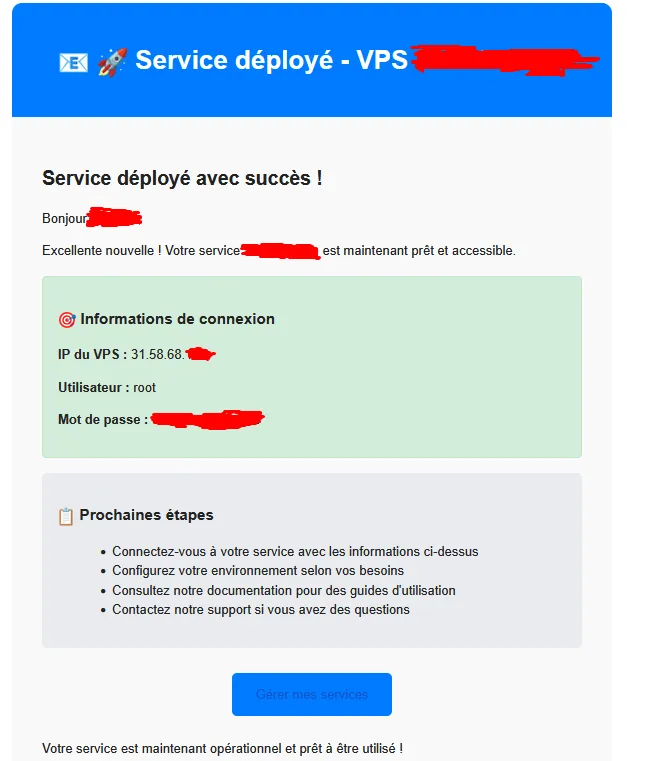
Section titled “Option #1”When you order your VPS, all the information you need to get started is automatically sent to you by email.
This message includes:
- VPS login credentials (IP address, port, username, password)
- Security information and recommendations
- Links to management interfaces (control panel, console, performance tests, etc.)
The email typically looks like this:
Option #2
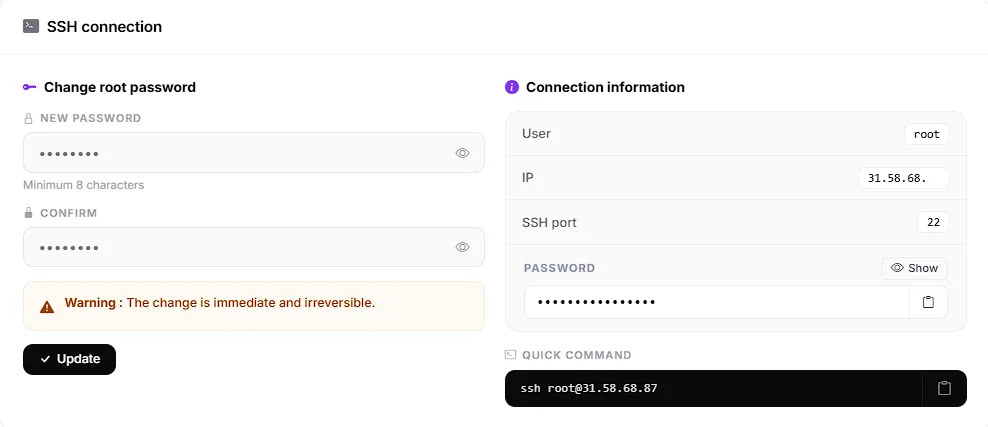
Section titled “Option #2”Option 2 for finding your VPS login credentials is to go directly to your VPS management panel via the customer portal.
- Go to the Security tab, then SSH Connection
You’ll land on this page:
Congratulations! You’ve just found the login credentials for your VPS and can now connect to it using SSH/SFTP! 🎉