
Edit or remove a sub-user's access
Granted accesses are listed under Sub-users → Existing accesses.
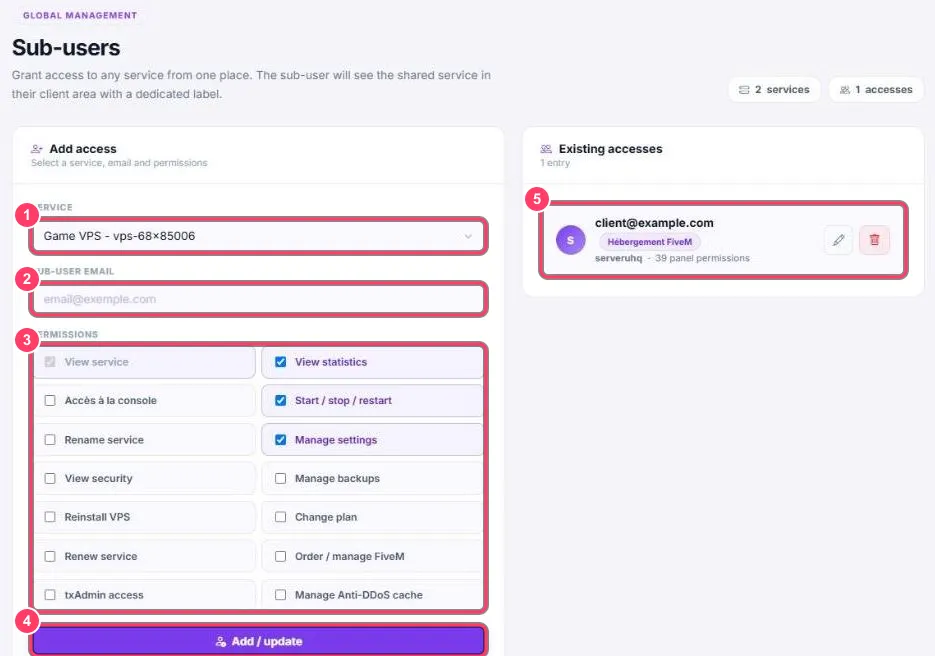
Each access (marker 5) shows the person’s email, the service type, the service and the number of permissions.
- ✏️ Edit: loads the access into the left-hand form. Tick or untick permissions then click Add / update
- 🗑️ Delete: removes the access immediately. The service disappears from the person’s portal
Each addition or removal shows up in the service history (a VPS’s recent activity, a FiveM server’s History).