
Manage your account
Click your name in the bottom-left corner of the panel, then Account settings.
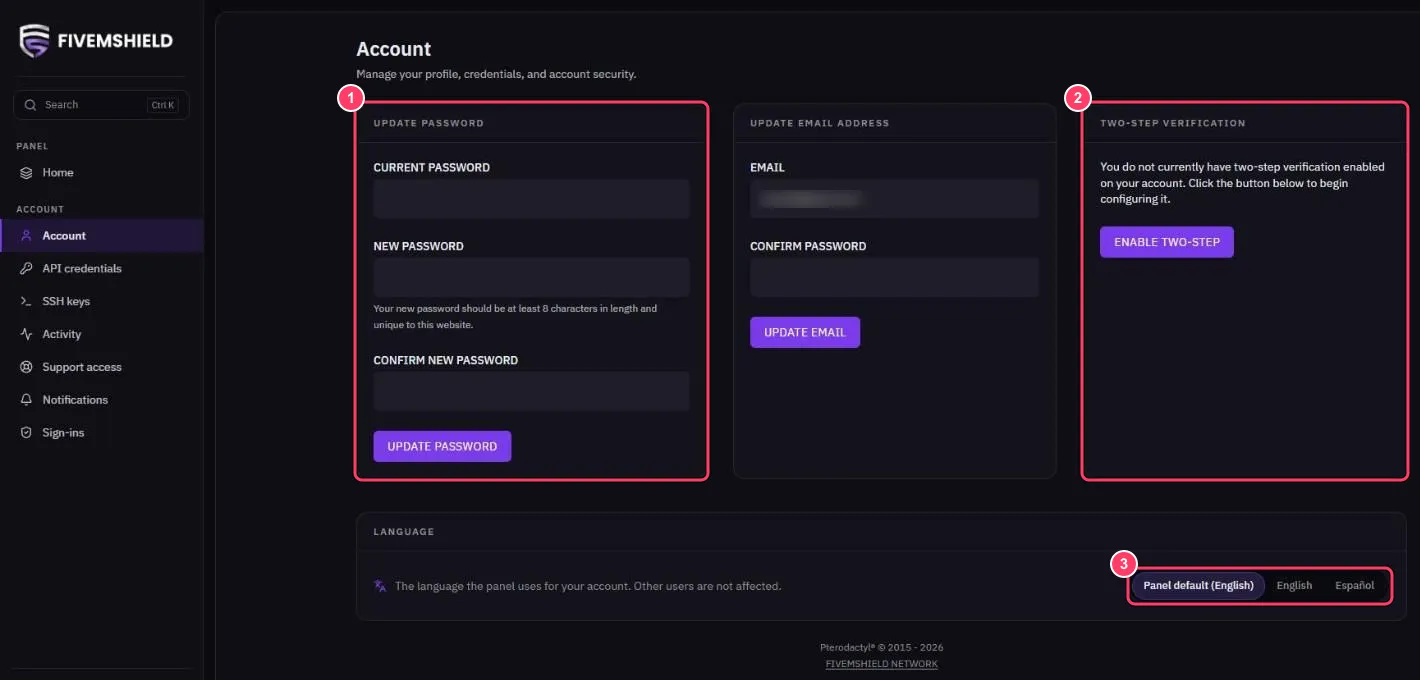
- UPDATE PASSWORD: change your password. It is also used for SFTP
- TWO-STEP VERIFICATION: enable two-step verification with an app such as Google Authenticator or Authy
- LANGUAGE: choose the panel language for your account
You can also change your email address under UPDATE EMAIL ADDRESS.
Other account pages
Section titled “Other account pages”| Page | What it’s for |
|---|---|
| API credentials | Create API keys to automate managing your server |
| SSH keys | Add a public SSH key to sign in to SFTP without a password |
| Activity | History of actions on your account |
| Sign-ins | Recent sign-ins to your account |
| Notifications | Your notifications |