
Read Reverse Proxy statistics
Your Reverse Proxy’s Statistics tab shows your server’s attendance and everything the protection filters.
Online players
Section titled “Online players”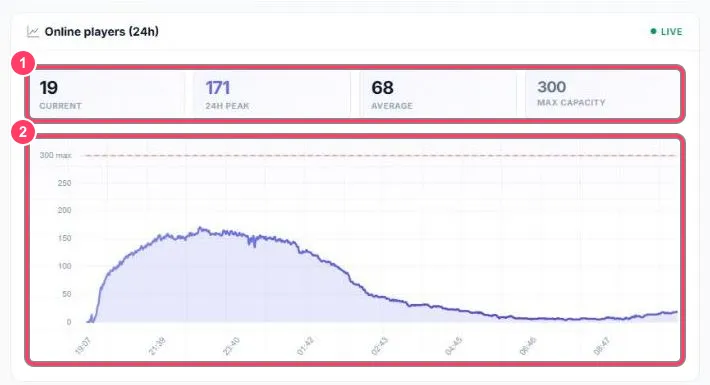
- Current: players connected now. 24h peak: the 24 h maximum. Average: the average. Max capacity: your plan’s capacity
- 24 h curve: the dashed red line marks your maximum capacity
Network protection (L4)
Section titled “Network protection (L4)”The DDoS Protection — Network (L4) block covers volumetric attacks (SYN flood, UDP flood…), blocked before they even reach your server. Click it to expand.
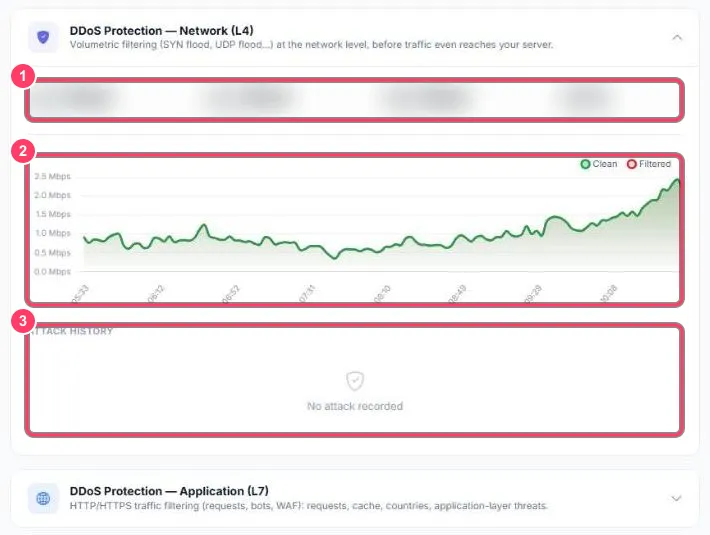
- Counters: inbound traffic, clean traffic, filtered traffic and mitigation rate
- Chart: clean (green) and filtered (red) traffic
- Attack history: detected attacks. No attack recorded = no recent attack
Application protection (L7)
Section titled “Application protection (L7)”The DDoS Protection — Application (L7) block covers web traffic: the requests FiveM makes to your server (info.json, players.json…), bots and the application firewall.
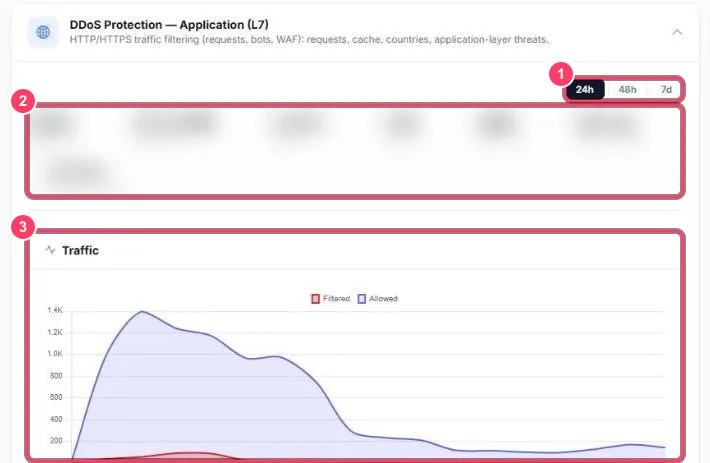
- Period: 24 h, 48 h or 7 days
- Counters:
- Requests and Bandwidth: requests and volume handled
- Cache and Saved: share served from cache, and volume saved for your server
- Threats: malicious requests blocked
- Edge latency: proxy response time. Backend latency: your server’s response time
- Traffic: allowed (purple) and filtered (red) requests
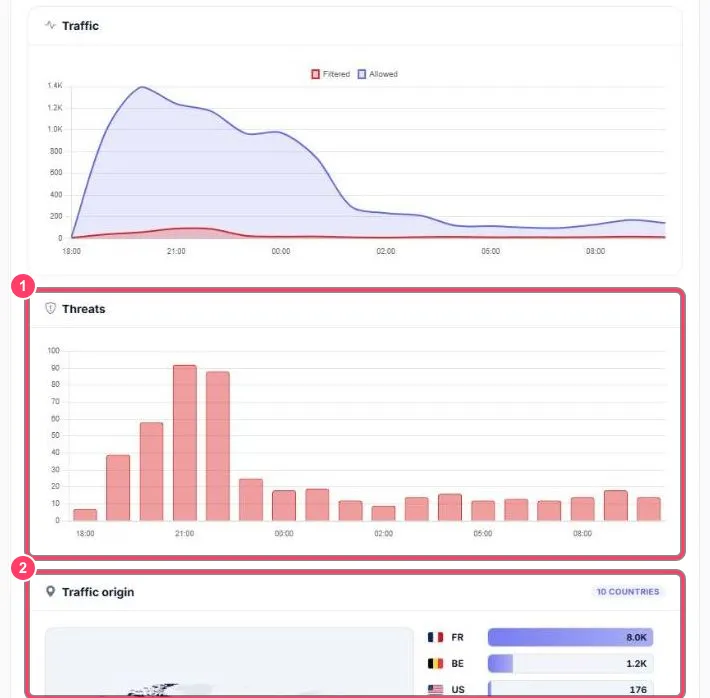
- Threats: threats blocked hour by hour. A spike usually means an attack attempt
- Traffic origin: the countries requests come from
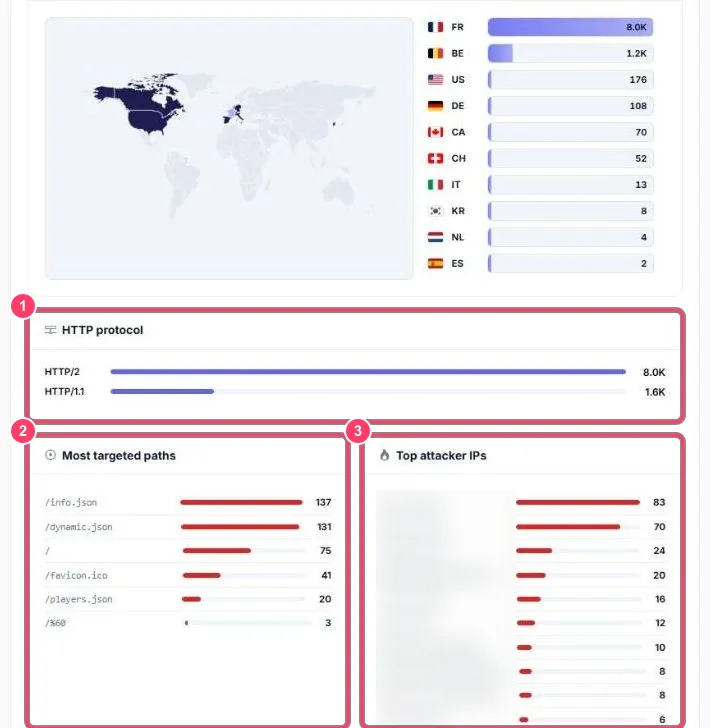
- HTTP protocol: HTTP/2 vs HTTP/1.1 split
- Most targeted paths: the most requested addresses.
/info.json,/dynamic.jsonand/players.jsonare the FiveM server list’s normal requests - Top attacker IPs: the addresses that sent the most blocked requests
At the very bottom, HTTP codes splits responses by code (200 = OK, 4xx = refused…).