
Server at OVH: allow the proxy in the Network Firewall
If your FiveM server (the backend) is hosted at OVH and its IP’s Network Firewall is enabled, it blocks traffic coming from the FIVEMSHIELD proxy. Your players then can’t connect.
The portal recalls the steps in the Backend hosted at OVH? block of the Get started tab:
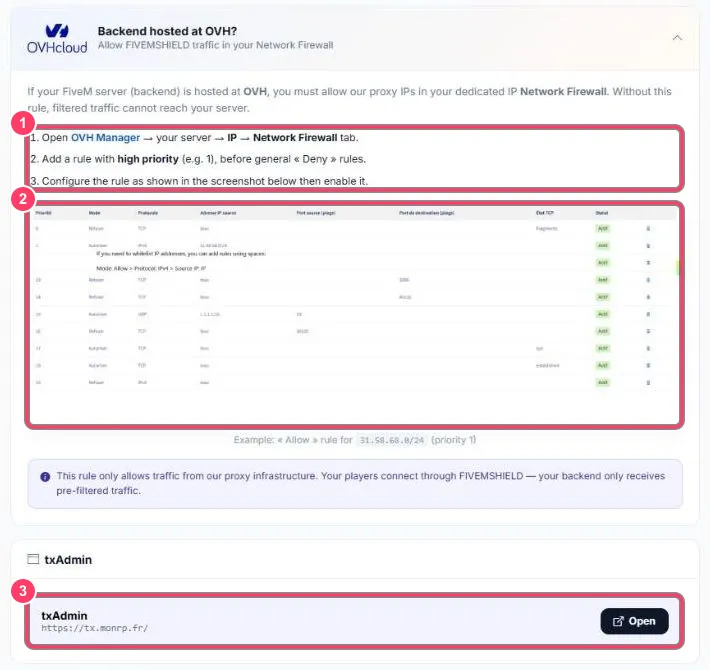
- The steps:
- Open OVH Manager → your server → IP → Network Firewall tab
- Add a rule with a high priority (e.g.
1), placed before general “Deny” rules - Configure it as in the screenshot, then enable it
- Example: an Allow rule for the proxy IPs, priority 1
The rule to create
Section titled “The rule to create”| Field | Value |
|---|---|
| Priority | 1 (or the lowest available) |
| Action | Allow |
| Protocol | IPv4 |
| Source IP | 31.58.68.0/24 |
Server not at OVH? Just make sure your host’s firewall (or ufw/iptables on the server) lets in connections from the ranges listed in sv_proxyIPRanges.