
Enable your VPS CDN cache
When a player joins your server, they download your resources (cars, maps, clothes…). The Anti-DDoS Ultra cache worker serves those files from a cache: players download faster and your VPS does less work.
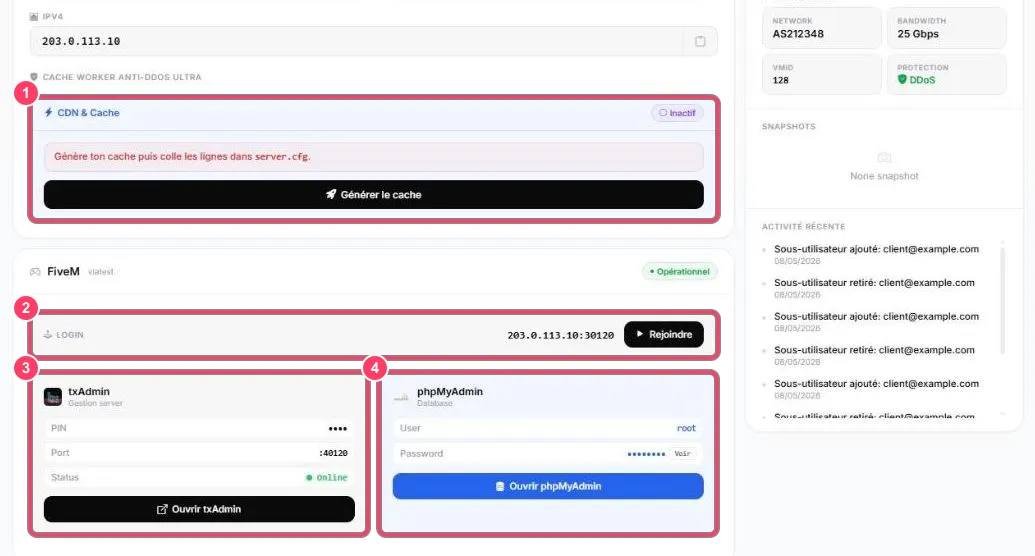
- On the VPS dashboard, the CDN & Cache block shows Inactif (Inactive) until the cache is set up
- Click Générer le cache (Generate the cache)
- The portal then shows configuration lines: copy them into your
server.cfg - Restart the FiveM server (from txAdmin) to apply
The block then switches to active.
For a server hosted outside FIVEMSHIELD, see the CDN & Caching offer.