
Order a Windows VPS
The Windows VPS runs Windows Server 2025, with administrator access over Remote Desktop (RDP) or the portal console. It is protected by the Anti-DDoS and delivered in moments.
| Plan | Price | vCPU | RAM | NVMe storage | Bandwidth | Protection |
|---|---|---|---|---|---|---|
| IronByte | €64.99/mo | 6 | 16 GB | 120 GB | 10 Gbps | Anti-DDoS Stage 1 |
| SteelForge (popular) | €89.99/mo | 8 | 32 GB | 160 GB | 10 Gbps | Anti-DDoS Stage 2 |
| FireGuard | €149.99/mo | 12 | 48 GB | 300 GB | 10 Gbps | Anti-DDoS Stage 2 |
Every plan includes Windows Server 2025, RDP and console access, and the administrator account.
- In VPS Windows, click Deploy a VPS (or Deploy my first VPS)
- Follow the 3 steps: Region, Plan, Password
Step 1: region
Section titled “Step 1: region”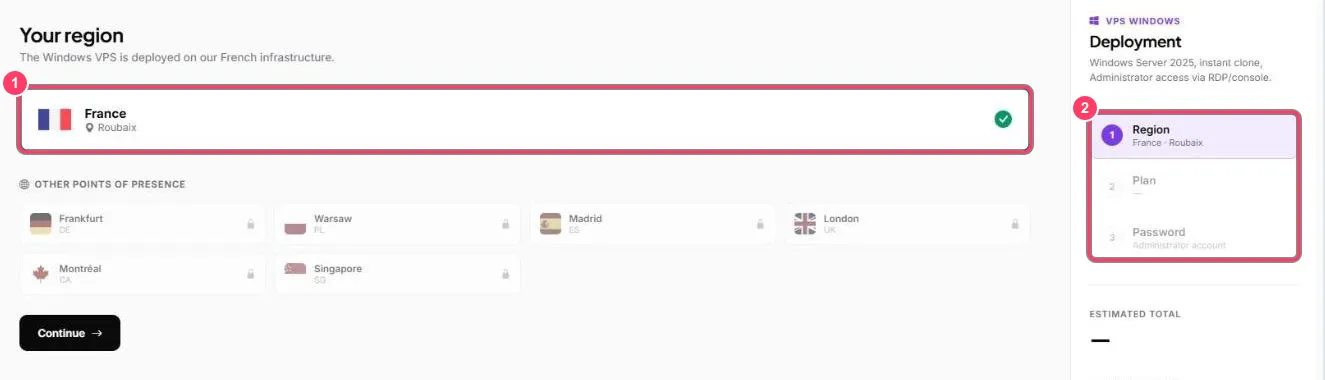
- The Windows VPS is deployed in France (Roubaix). Other points of presence are not open yet. Click Continue
- The right-hand panel tracks your progress and shows the estimated total
Step 2: plan
Section titled “Step 2: plan”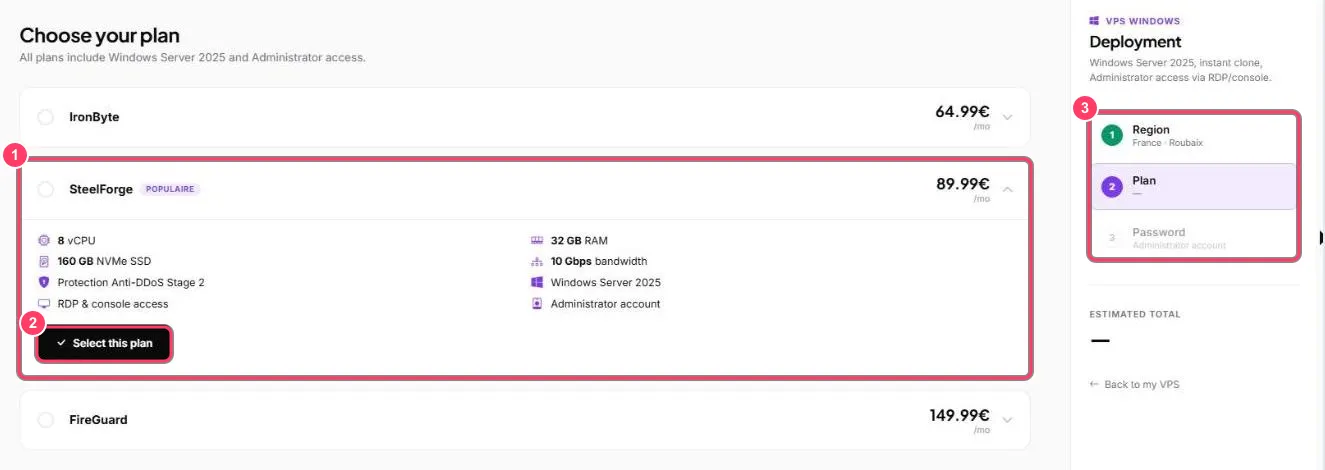
- Click a plan to show its details: CPU, memory, storage, bandwidth, protection level
- Select this plan selects it
- The right-hand panel shows the current step
Step 3: password
Section titled “Step 3: password”Choose the administrator account password, then confirm the order. The price is taken from your balance.
Next step: connect with Remote Desktop.