
How to connect to your VPS via SFTP
🔐 Prerequisites
Section titled “🔐 Prerequisites”- The IP address of your VPS.
- Root user access
- The root user password.
- Port 22
WinSCP
Section titled “WinSCP”✔️ Step 1: Create a new connection
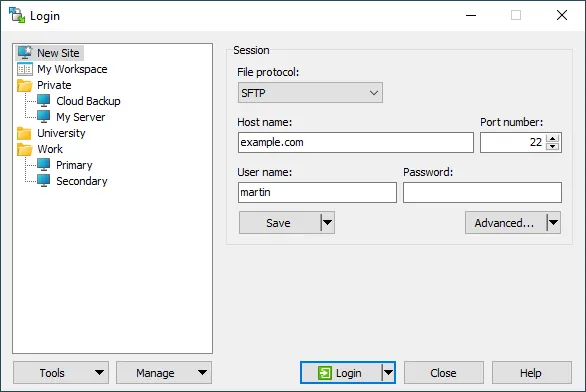
Section titled “✔️ Step 1: Create a new connection”In the main window:
- File protocol: SFTP
- Host: VPS IP address
- Port: 22
- Username: root
- Password: You can find the root password on the FIVEMSHIELD customer portal management page under Tools and SSH Connection
FileZilla
Section titled “FileZilla”✔️ Step 1: Enter your login credentials
Section titled “✔️ Step 1: Enter your login credentials”- Host: IP address (31.58.68.xx)
- Username: root
- Password: your root password, which you can find on the VPS management page under the Tools and SSH Connection section
- Port: 22
