
Understand the Anti-DDoS dashboard
The Anti-DDoS page in the left menu shows in real time the traffic reaching your protected IP addresses and what the protection filters. It covers all your protected services: VPS, FiveM servers…
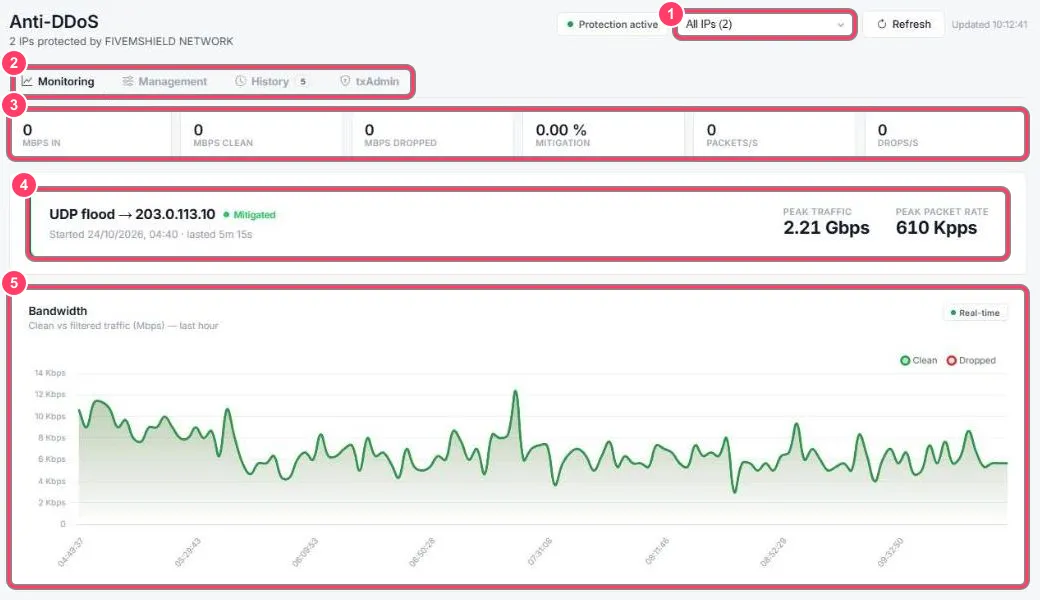
- IP selector: pick the address to show, or All IPs. Protection active confirms the protection is running, Refresh reloads the data
- Tabs: Monitoring (this page), Management (firewall), History (past attacks) and txAdmin
- Live counters:
- Mbps in: incoming traffic
- Mbps clean: legitimate traffic forwarded to your server
- Mbps dropped: blocked attack traffic
- Mitigation: share of filtered traffic
- Packets/s and Drops/s: packets received and blocked per second
- Latest attack: type (e.g. UDP flood), target IP, status (Mitigated = blocked), time, duration, peak bandwidth and packet rate
- Bandwidth: clean (green) and filtered (red) traffic over the last hour
Just below, Network packets shows packets received and filtered per second.
Filters, ports and sources
Section titled “Filters, ports and sources”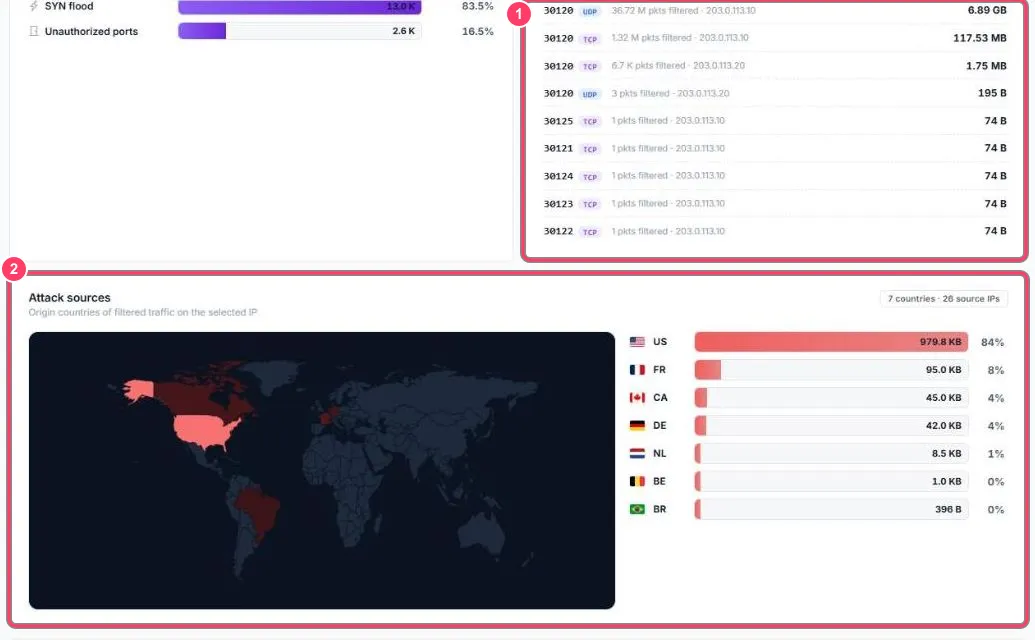
- Triggered filters (left): which filters blocked packets over the last hour (e.g. SYN flood, Unauthorized ports)
- Attacked ports: the ports targeted by filtered traffic, with protocol, packet count and volume. Port
30120is FiveM’s: it’s normal for it to be the main target - Attack sources: map and list of the countries filtered traffic came from
Attackers and counters
Section titled “Attackers and counters”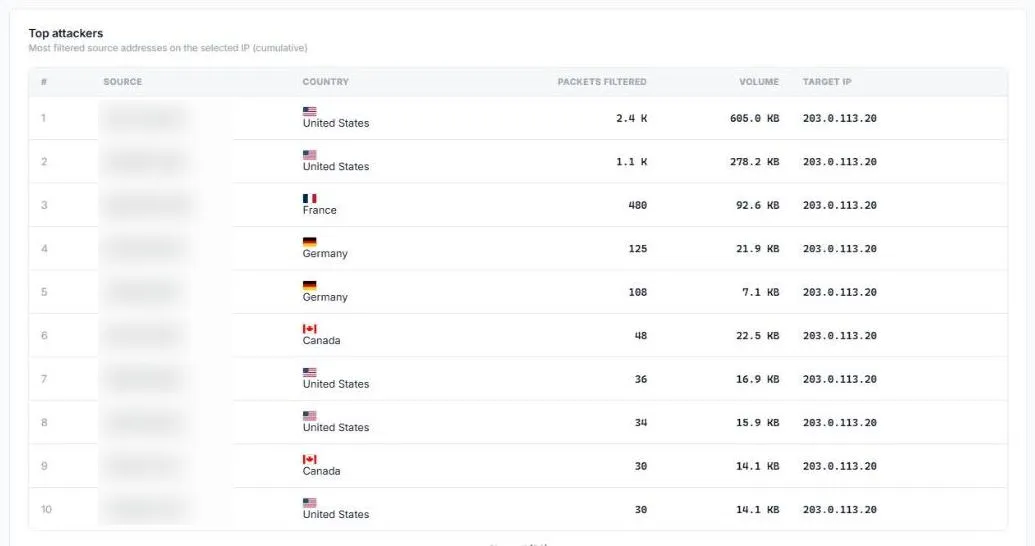
Top attackers lists the addresses that sent the most blocked traffic (source, country, packets, volume, target IP). To block one of them permanently, see Block an IP.
Further down, Cumulative counters totals everything the protection filtered since it started, filter by filter (SYN flood, ports, HTTP, countries, automatic blacklist, your blacklist…).