
Get attack alerts on Discord
The portal can post a message in a Discord channel each time one of your IPs is attacked. Handy to warn your staff, or your players in an announcements channel.
1. Create a Discord webhook
Section titled “1. Create a Discord webhook”- In Discord, open the settings of the channel that should receive the alerts
- Integrations → Webhooks → New Webhook
- Give it a name (e.g. FIVEMSHIELD) then Copy Webhook URL
2. Add it to the portal
Section titled “2. Add it to the portal”In Anti-DDoS → Monitoring, scroll down to the Discord notifications block:
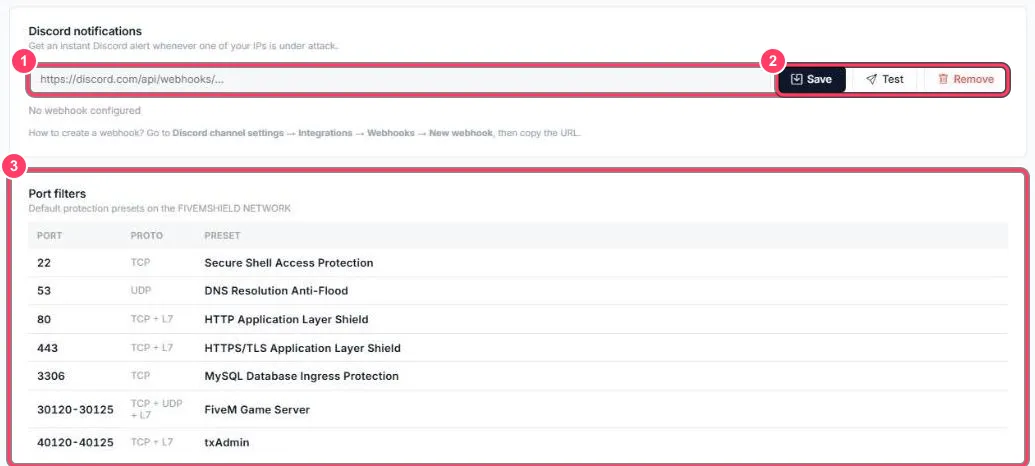
- Paste the webhook URL (it starts with
https://discord.com/api/webhooks/) and click Save. Until a webhook is saved, No webhook configured is shown - Test sends a test message to check everything works. Remove deletes the webhook