
Security: administrator password and rename
The Security tab gathers the VPS protection and access settings.
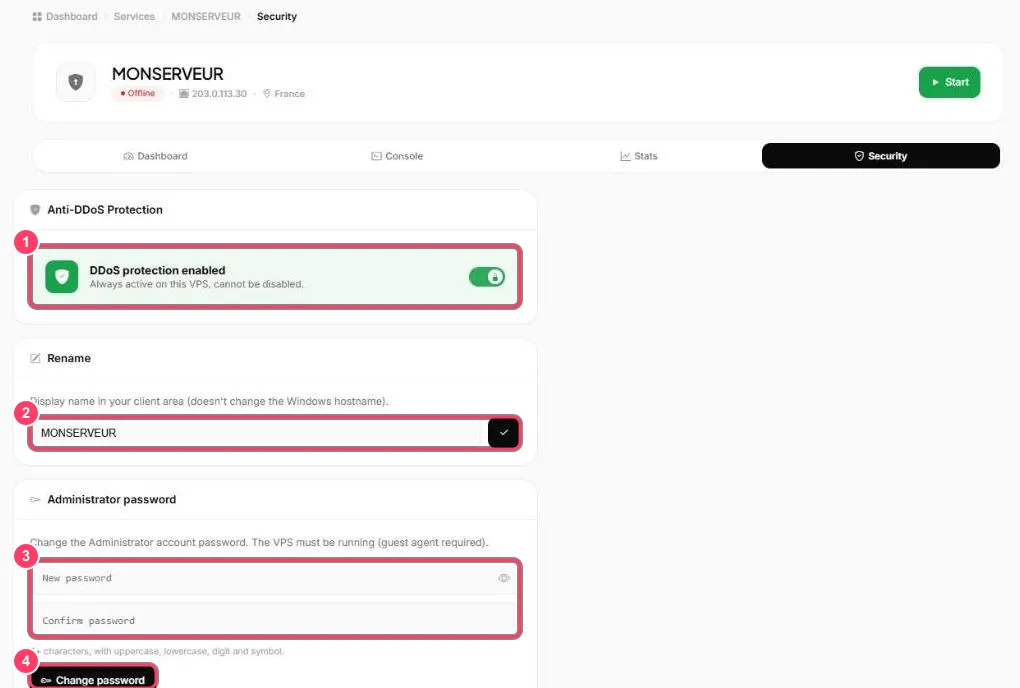
- Anti-DDoS Protection: DDoS protection is always on for the VPS and cannot be turned off
- Rename: the name shown in your portal. It does not change the machine name in Windows. Confirm with ✓
- Administrator password: type the new password twice. It must be at least 6 characters with an uppercase letter, a lowercase letter, a digit and a symbol
- Change password: applies the new password
After the change, connect over Remote Desktop with the Administrateur user and the new password.