
VPS security: root password, protection, rename
The Security tab gathers everything about access to your VPS.
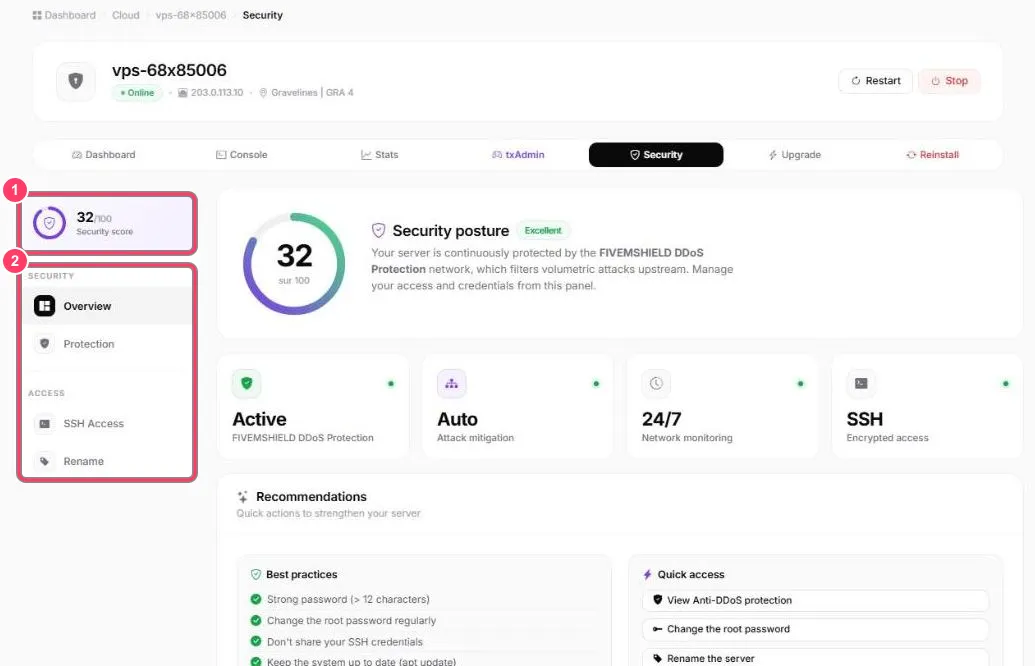
- Security score: a score out of 100 that goes up as you follow best practices
- Menu: Overview (summary and recommendations), Protection, SSH Access and Rename
Change the root password
Section titled “Change the root password”Open SSH Access:
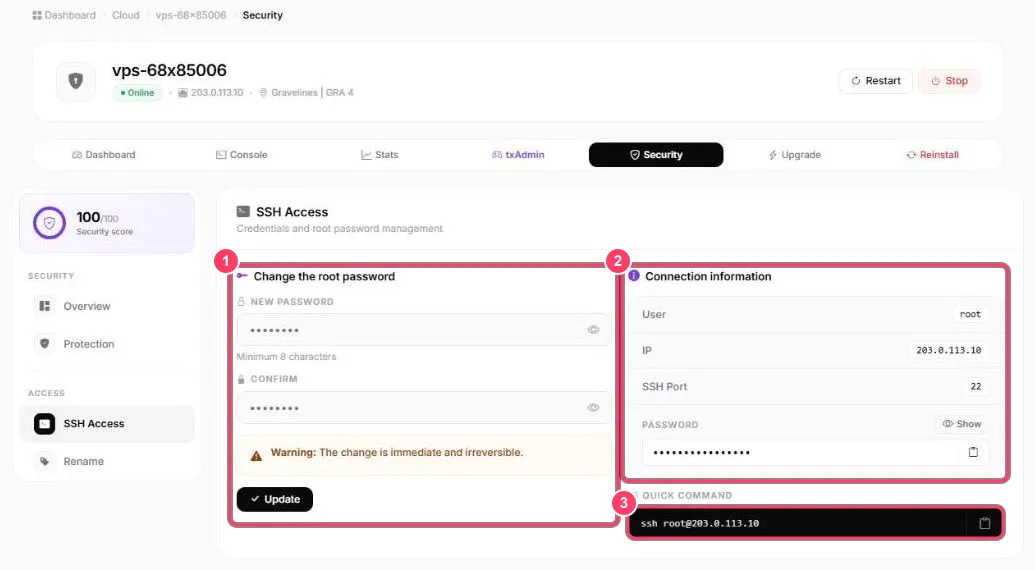
- Change the root password: type the new password twice (at least 8 characters), then Update. The change is immediate and irreversible: write the new password down before confirming
- Connection information: user (
root), IP, SSH port (22) and current password (Show button) - Quick command: a ready-to-copy
sshcommand for your terminal
Check Anti-DDoS protection
Section titled “Check Anti-DDoS protection”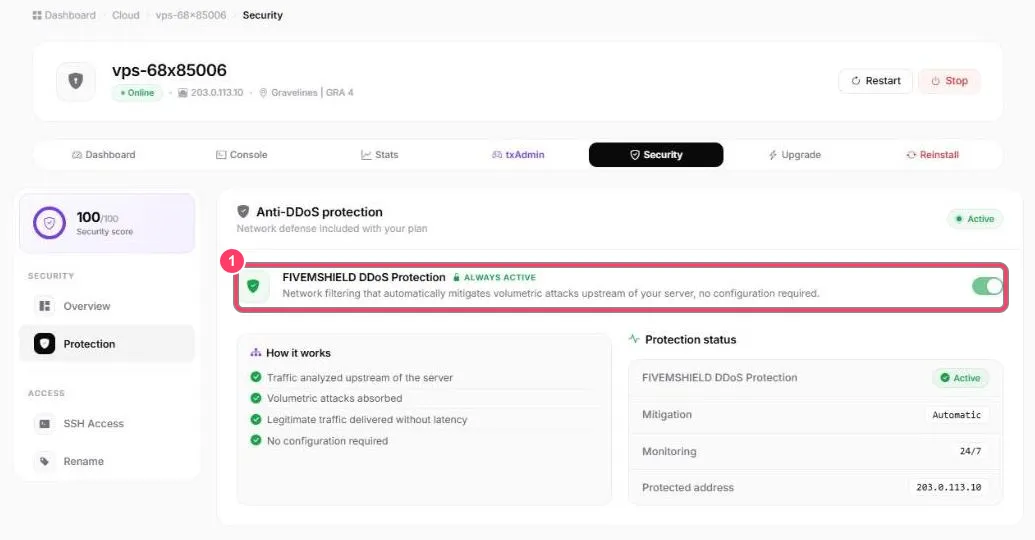
- FIVEMSHIELD DDoS Protection is always active: traffic is analysed upstream of the server, with no configuration. For advanced settings, see the Anti-DDoS section
Rename the VPS
Section titled “Rename the VPS”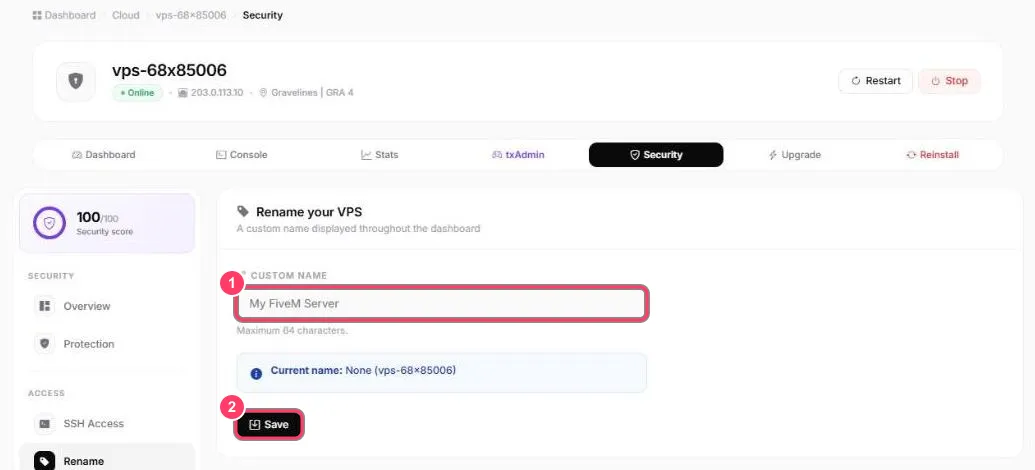
- Type a custom name (64 characters max), for example your RP server’s name
- Click Save. The name shows everywhere in the portal