
Change the server name and logo
Change the logo
Section titled “Change the logo”- Open your server’s Console
- Click the logo to the left of the server name
- Choose Upload a new logo and select your image
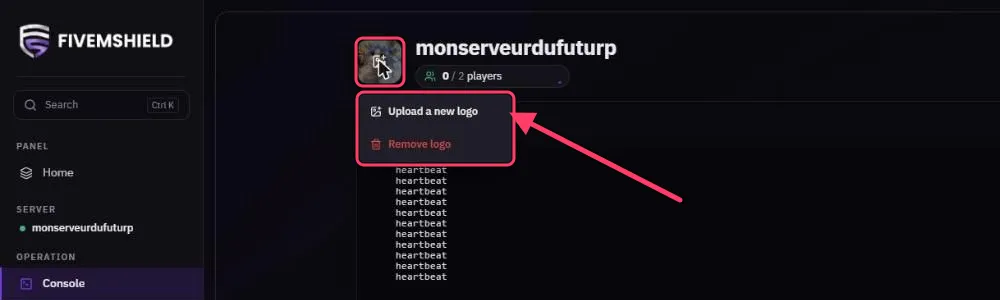
The logo is automatically resized to a 256 × 256 pixel square, so a square image works best. Remove logo removes it.
The logo also appears on your server’s card in the server list. You can change it there too by hovering over the card.
Change the name
Section titled “Change the name”The name shown in the panel is the sv_hostname from your server.cfg. FiveM color codes (^1, ^2…) are removed automatically.
-
Open Files, then
server.cfg -
Edit the line:
server.cfg sv_hostname "^5My Server ^7RP" -
Click SAVE CONTENT and restart the server
To change the project name and description shown in the FiveM list, also edit sets sv_projectName and sets sv_projectDesc.