
Order a service
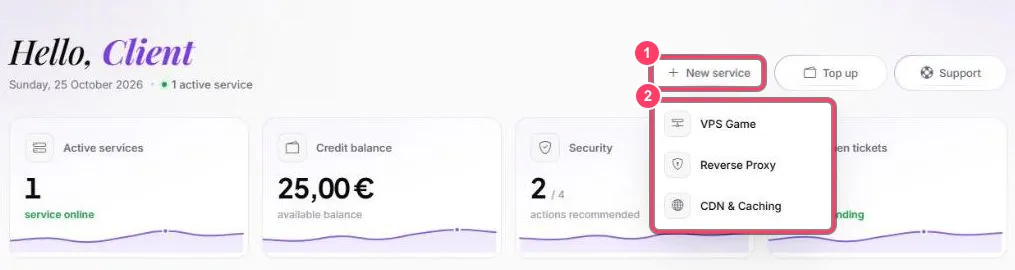
- On the dashboard, click New service
- Pick the service type: VPS Game, Reverse Proxy or CDN & Caching
You can also order from each service’s page in the left menu:
| Service | Where to order | Guide |
|---|---|---|
| Game VPS (Linux) | VPS Game → Deploy a VPS | Order a Game VPS |
| Windows VPS | VPS Windows → Deploy a VPS | Windows VPS |
| Reverse Proxy | Reverse Proxy | Reverse Proxy |
| CDN & Caching | CDN & Caching → Order a cache | CDN & Caching |
| FiveM Hosting | FiveM Hosting → Order a server | FiveM plans |
The price is taken from your balance: top it up first if needed. Some orders accept a promo code (Promo code field, then Verify).
The service then shows up in its section and an invoice is added under Billing.