
Set up your FiveM server behind the proxy
Once the Reverse Proxy is active, open it from Reverse Proxy → Manage. The Get started tab has everything you need to plug it in.
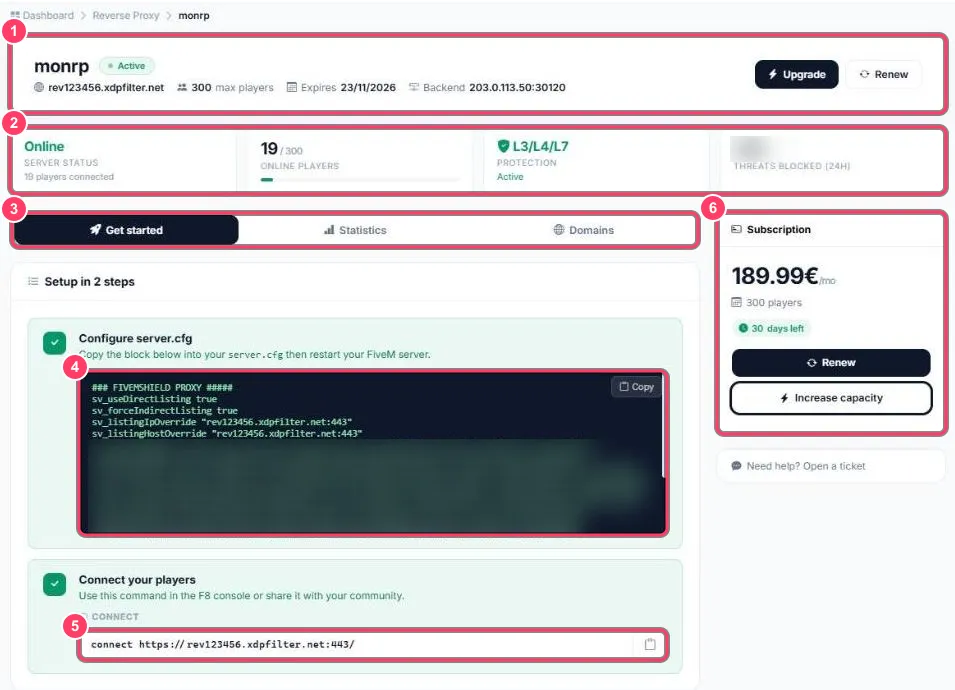
- Header: the service name, the proxy address (
rev123456.xdpfilter.net), maximum capacity, due date and your server’s address (Backend). Upgrade and Renew: see Capacity and renewal - Summary: server status, connected players, active protection and threats blocked over 24 h
- Tabs: Get started (this page), Statistics and Domains
- server.cfg block: to copy into your configuration (step 1)
- Connect command: to give to your players (step 2)
- Subscription: price, capacity, days left, Renew and Increase capacity
Step 1: server.cfg
Section titled “Step 1: server.cfg”- Click Copy in the Configure server.cfg block
- Paste the block into your
server.cfg, before your resources’ensurelines - Restart your FiveM server
The block looks like this (always copy yours from the portal, it is specific to your service):
### FIVEMSHIELD PROXY #####sv_useDirectListing truesv_forceIndirectListing truesv_listingIpOverride "rev123456.xdpfilter.net:443"sv_listingHostOverride "rev123456.xdpfilter.net:443"sv_proxyIPRanges "…list of FIVEMSHIELD IP ranges…"mumble_maxClientsPerIP 1024### FIVEMSHIELD PROXY #####| Line | Purpose |
|---|---|
sv_useDirectListing / sv_forceIndirectListing |
Route your server’s FiveM list announcement through the proxy |
sv_listingIpOverride / sv_listingHostOverride |
The address shown in the server list: the proxy’s, not your real IP |
sv_proxyIPRanges |
The FIVEMSHIELD proxy IP ranges. FiveM trusts them to recover each player’s real IP (needed for bans and txAdmin) |
mumble_maxClientsPerIP |
All players come from the proxy IPs: this line stops voice chat from limiting connections per IP |
Step 2: connect your players
Section titled “Step 2: connect your players”In FiveM, press F8 and type the command shown in Connect your players:
connect https://rev123456.xdpfilter.net:443/Share this command (or your custom domain) on your Discord, instead of the old IP.
txAdmin
Section titled “txAdmin”The txAdmin block, further down the page, gives a protected link to your txAdmin. Click Open to open it.
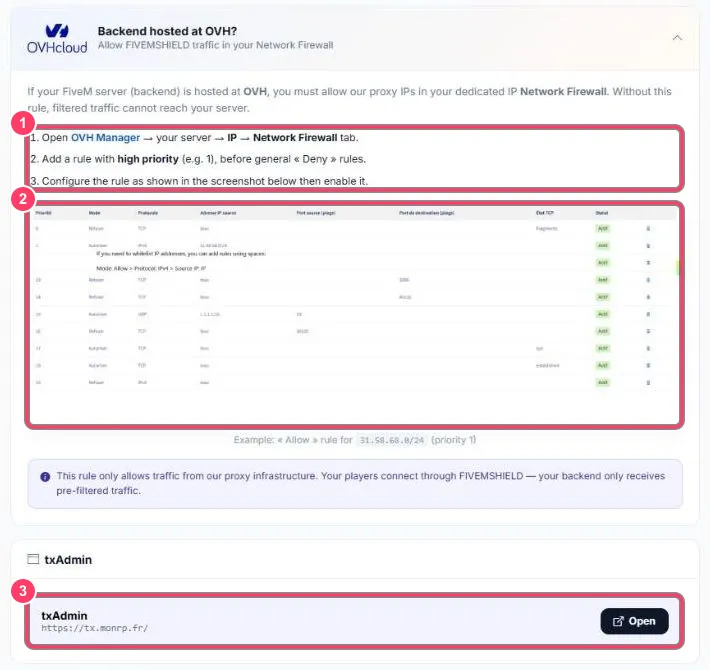
Marker 3 is the txAdmin block.