
Create and restore a backup
The Backups section lets you create a full copy of your server files.
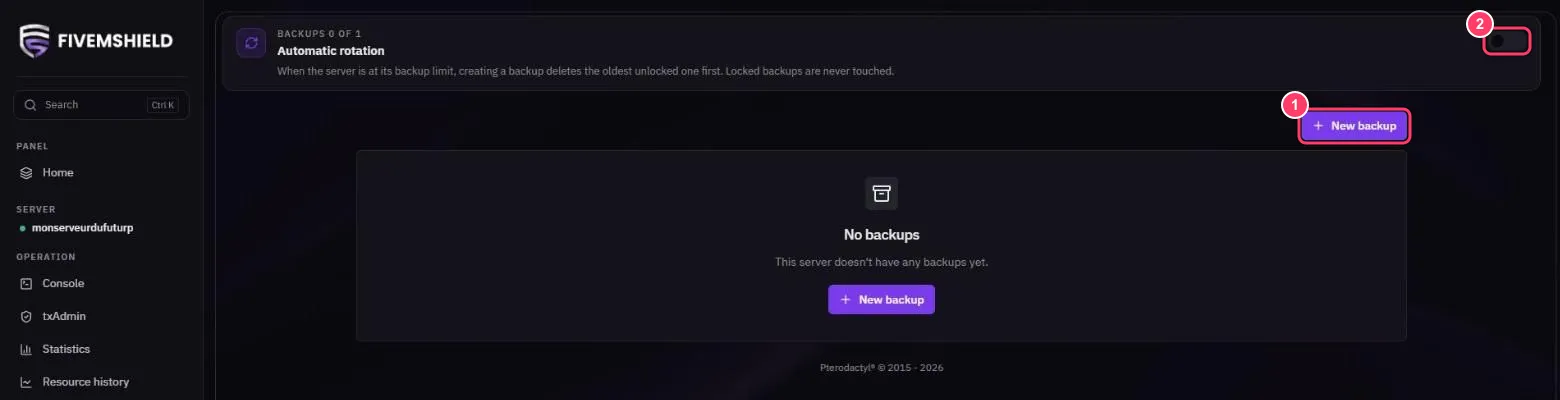
1. Create a backup
Section titled “1. Create a backup”Click New backup, give it a name (for example “before ESX update”) and confirm. The backup can take a few minutes depending on your server’s size.
At the top of the page, the BACKUPS X OF Y counter shows how many backups you’re using out of your plan’s maximum.
2. Automatic rotation
Section titled “2. Automatic rotation”With Automatic rotation turned on, once you’ve reached your limit, creating a new backup automatically deletes the oldest unlocked one. Locked backups are never deleted.
Manage a backup
Section titled “Manage a backup”Once the backup is finished, its … menu lets you:
- Download: download the archive to your PC
- Restore: restore the backup
- Lock / Unlock: lock the backup so it can’t be deleted
- Delete: delete the backup